Offline POS: keep selling when the internet drops
Do not let the till stop when the shop loses internet: the SBT CRM POS works offline, stores sales on the device and sends them when the connection returns. Windows POS app and browser app.
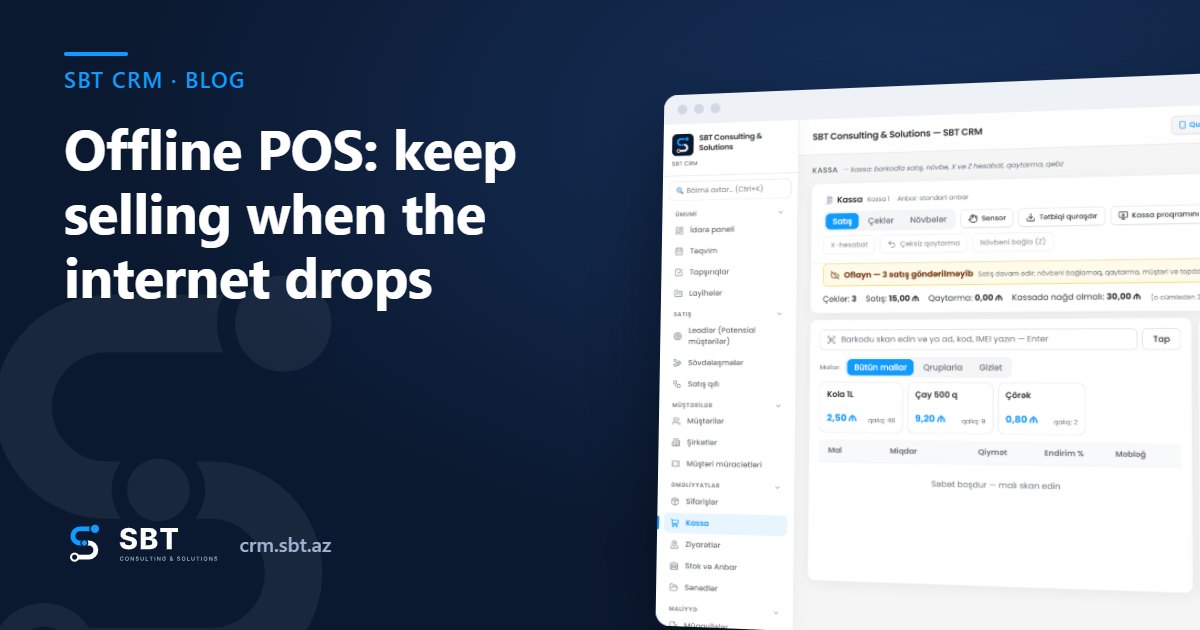
· SBT Consulting & Solutions
How it works
When the till opens, products, prices and the open shift are saved on the device. When the internet drops, a yellow bar appears at the top: «Offline — N sales not sent». The cashier sells as usual — barcode, name or product tiles, cash or card.
Each offline sale gets a temporary number (OFF-…) and the receipt says «Offline — not synced». As soon as the connection is back, sales are sent in order. The server checks prices against its own data and records each receipt only once — the same sale is never booked twice.
Stock stays consistent
Stock is deducted when the sale reaches the server; online sales work exactly as before. If another till sold the same item while offline and stock is short, the sale is still accepted — the customer already has the goods. The item goes to negative stock and admins and managers are notified right away to check it.
Two options: Windows app or browser app
- Windows POS app (.exe): opens full screen, prints receipts straight to the printer without a preview, can start with Windows.
- Browser app: the «Install app» button — no download, the till opens in its own window with its own icon.
- Both are in «🧾 POS» → «Download the POS app»; the same block is in Settings → POS registers.
- Unsent sales survive a page refresh or a computer restart.
What is not available offline
For control, some actions need the connection: opening and closing the shift (Z-report), X-report, returns, choosing a customer, wholesale price, IMEI and serial items. The shift cannot be closed while sales are unsent — the end-of-day report is always complete.
Fiscal receipt
The till currently works with the online cash register (NKA) in «manual mode»: the cashier enters the device receipt number, and receipts without a number are listed separately in the Z-report. Direct integration with the devices is planned.
Frequently asked questions
How many sales can I make offline?
There is no limit — sales are stored on the device and all of them are sent when the connection returns.
Is the Windows app paid?
No, it is included in the POS plan. Download it from «🧾 POS» → «Download the POS app».
Does it work on phones and tablets?
Yes, via «Install app» or «Add to Home Screen» in the browser; offline mode works there too.