How to build a customer database and keep it clean: fields, duplicates, segments
How to build a customer database and keep it clean: which fields to keep, how to prevent duplicates, segments, Excel import and common data mistakes.
· SBT Consulting & Solutions
The core rule: one customer, one record
The first rule of customer data management is simple: every customer should have exactly one record. Calls, meetings, proposals, orders and payments all go into that record’s history. When the same company exists twice, salespeople call it without knowing about each other, debt is split across two places and sales reports understate what the customer actually buys.
The second rule is to separate the customer from the contact person. For a business customer, the customer is the company itself; the director, chief accountant and purchasing manager are its contacts. When a contact leaves, you do not lose the customer: the new person is added to the same record and the full history stays where it is.
Which fields you need, and which you don’t
The most common mistake when building a customer database is creating dozens of fields. Every field costs someone time, and fields nobody fills in only add noise. Before adding a field, ask one question: what decision will we make, or what action will we take, based on this information? If there is no answer, you do not need the field.
- Required minimum: customer type (individual, legal entity, sole proprietor), name, main phone number and owner.
- For legal entities and sole proprietors: tax ID (TIN), legal name, director and the bank details needed for invoicing.
- For segmentation: city, industry or segment, and lead source. These should be picked from a fixed list, not typed as free text.
- For communication: email, preferred language and the channels the customer has agreed to be contacted on.
- Fields to drop: catch-all fields like “extra note 2” that nobody uses, manual copies of figures the CRM already calculates, and personal details you do not need to serve the customer.
Duplicates: how to prevent them and clean them up
Duplicates usually appear for three reasons: phone numbers are written in different formats (050 123 45 67 vs +994501234567), company names are spelled differently (“Alfa LLC”, “Alfa”, Alfa MMC), or a salesperson creates a new record without searching first. That is why fighting duplicates starts with how data is entered, not with clean-up.
The most reliable keys are unique identifiers, not names. For legal entities and sole proprietors, that is the tax ID; for individuals, a normalised phone number. Your system should not allow a second record with the same tax ID or the same number.
- Make searching by name, phone and tax ID a mandatory habit before creating a new record.
- Store phone numbers in one international format so that different spellings are recognised as the same number.
- When merging duplicates, keep the record with the richer history and copy missing details over from the other one.
- Let one person decide on merges; salespeople should flag a duplicate rather than delete it.
Ownership and segments
Every customer needs one owner. A customer who belongs to everyone in practice belongs to no one: calls slip, debt goes unchased and proposals go unanswered. Agree who assigns and changes the owner; ideally a manager does it, so customers do not become a source of disputes between salespeople. When someone leaves the company, their customers should be reassigned on day one.
Segments split the database into groups you can actually manage. Start simple: geography (city, district), customer type (wholesale, retail, corporate) and activity (active, no orders for a long time). Keep the segment list short and written down; when every salesperson invents their own segments, filters lose their meaning.
Well-designed segments answer practical questions quickly: in which district are customers dropping off, who should get a repeat offer, which group needs its own pricing policy.
Importing from Excel and regular clean-ups
Most companies come to a CRM with spreadsheets and phone contacts. Preparing the file before import is far easier than fixing hundreds of records by hand afterwards.
- Gather all sources (salespeople’s files, the accounting list, phone contacts) into one spreadsheet.
- Map the columns to the system’s fields: one column, one piece of data; never put name and phone in the same cell.
- Bring phone numbers and tax IDs into one format and set aside empty or obviously wrong rows.
- Merge duplicates inside the file, then run a test import with a small batch.
- After the import, compare a few randomly chosen records with the source.
Data quality, personal data and common mistakes
A database that is cleaned once and then forgotten becomes messy again within a few months. Make clean-up a routine: once a month, review records without an owner or with an empty phone or tax ID, merge new duplicates and update the status of customers with no recent activity. Assigning one person to this task makes a noticeable difference.
A customer database is also personal data, and it deserves care. Collect only what you genuinely need for the business, record which channels each customer has agreed to be contacted on, and respect the wishes of those who opt out of marketing messages. Access should be limited by role, and the right to export to Excel should be given only to employees who need it. Consult a lawyer to confirm the legal requirements for personal data that apply to you.
- Importing old files without checking them and starting the CRM with duplicates.
- Typing segment and city as free text; “Baku”, “Baki” and “Baku city” become three separate filter values.
- Leaving customers without an owner, or not reassigning a departing employee’s customers in time.
- Letting salespeople keep a parallel database in their personal spreadsheets alongside the CRM.
- Collecting personal data “just in case” and giving everyone the right to export.
Customer data in SBT CRM
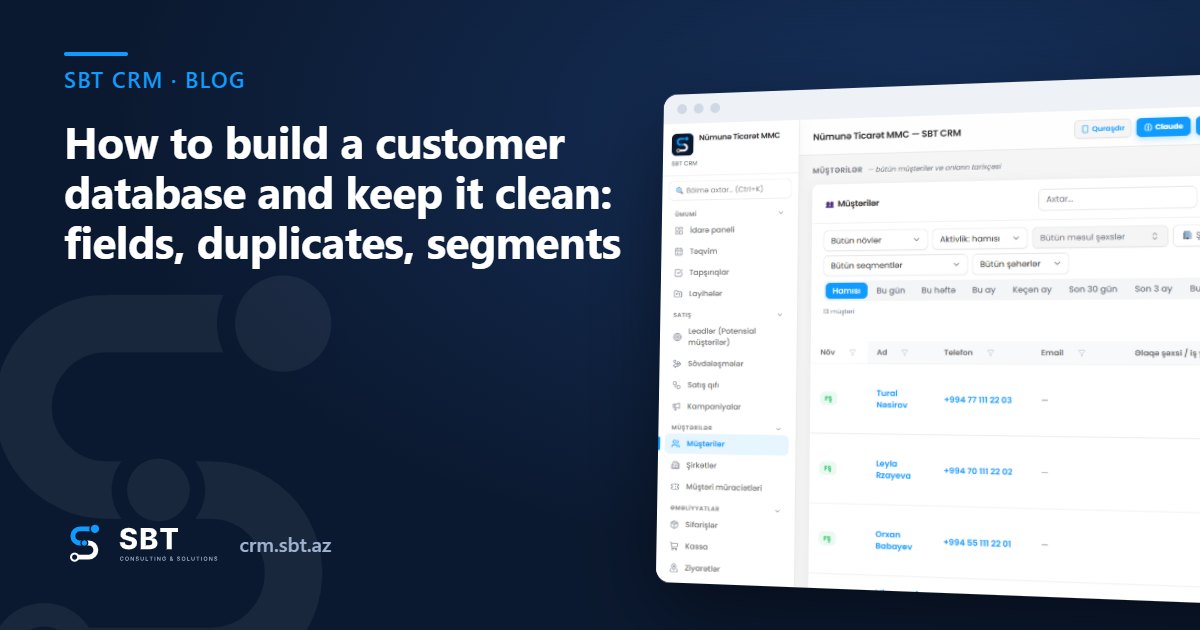
In SBT CRM, the “Customers” section keeps individuals, legal entities and sole proprietors in one list, and each customer card brings together company details, contact persons, credit and debt, and the full activity feed. Duplicate protection is built in: a TIN must be 10 digits and unique, a phone number can belong to only one customer, and 050 123 45 67, +994 50 123 45 67 and 994501234567 are treated as the same number. During “Import .xlsx”, rows with an existing TIN, email or phone are skipped, and the result shows how many customers were added and how many were skipped as duplicates; to get the correct column headers, run “Export .xlsx” first and use that file as a template.
The “Segment”, “City” and “District” fields let you filter the list, and every table supports Excel-style filters from the column header. A seller becomes the owner of the customers they create, while admins and managers can assign any employee; the “Sellers see only their own customers” setting restricts visibility. Each customer’s condition (New, Active, At risk, Blocked, Lost) is calculated automatically. The “Companies” section shows legal entities only, contacts are kept in the “Management and staff” section of the company card, and an individual is linked to their company through the “Workplace” field.
At SBT Consulting & Solutions, we start every CRM project by cleaning the database and agreeing on the fields. A team that starts with clean data can trust its reports from day one; tidy up your database, try it in SBT CRM and see the difference for yourself.
Frequently asked questions
How do I build a customer database?
First define the required fields and your segment list. Then gather all sources into one spreadsheet, remove duplicates, bring phone numbers and tax IDs into one format and import the data into your CRM. From then on, new customers should be created only in the CRM.
What information must a customer record contain?
At minimum: customer type, name, main phone number and owner. For legal entities and sole proprietors, the tax ID matters too, as it is the most reliable key for telling records apart.
How can I prevent duplicates in a customer database?
Make searching before creating a record a habit, store phone numbers in one format, and use a system that does not allow a second record with the same tax ID or phone number. Check for and merge existing duplicates once a month.
How often should a customer database be cleaned?
A quick check once a month and a broader review once a quarter work well for most teams. What matters most is that clean-up happens regularly and that one person is responsible for it.