Hand the same monthly report to Claude: an accounts-receivable example
Automating the monthly accounts-receivable report with Claude Skills: what a skill is, 5 questions, a worked example with real figures and how it works with SBT CRM.
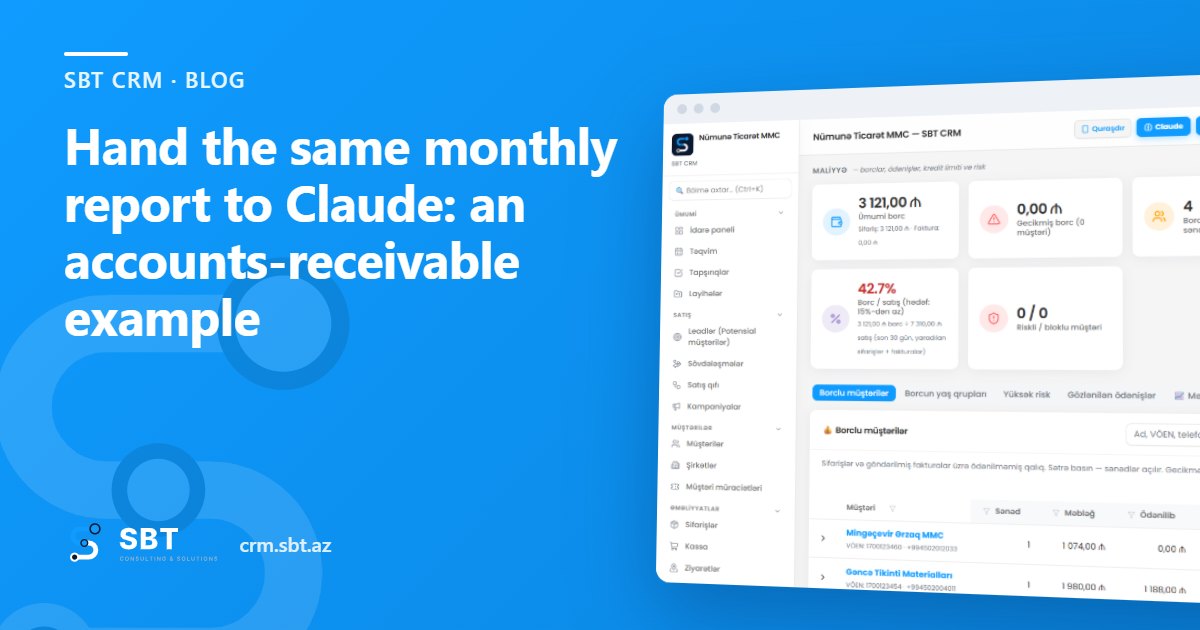
· SBT Consulting and Solutions
The problem: the same report every month, a different result every time
An accounts-receivable report is not complicated, but it is tedious: filter invoices, count days late, group them, reconcile totals. Done by hand it costs time, and the rules shift a little each month: one month 90+ days is shown separately, the next month it is forgotten.
Typing «prepare a debt report» into an AI chat every time does not solve it either: the instructions have to be explained again in every conversation and the output format still changes.
What an Agent Skill is, in plain words
Agent Skills is an open format for teaching an AI agent a way of working. It was started by Anthropic and is described as an open standard at agentskills.io. A skill is simply a folder: the main instruction file SKILL.md plus optional templates, rules and check scripts.
Claude first sees only the skill's name and short description. When a task matches, it reads the full instructions and runs the template or script when needed. The rules are written once and Claude applies them the same way every time.
The folder of our merged receivables skill looks like this: SKILL.md (steps, rules and checks), scripts/ar_report.mjs (computes the aging, reconciles totals and builds a single-file chart HTML report), references/crm-qaydalari.md (definitions and limits of the SBT CRM tool), references/xatirlatma.md (tone and examples for customer reminders).
5 questions to answer before writing a skill
1) Where does the data come from? For us, SBT CRM invoices and orders. 2) What are the definitions? For example, «overdue» = a sent or partly paid invoice past its due date. 3) What must reconcile? The sum of the aging buckets must equal total overdue debt. 4) What happens when data is missing? No guessing: write «data missing» and say what is needed. 5) What should the output look like? Summary, aging table, risk groups, top debtors, next actions and a check section.
Once these are answered, writing the skill is easy — the answers are the instructions.
Example: a demo company's November report
We tested the skill on a demo distribution company (not real customer data). Total open receivables are 14,450 AZN, of which 10,750 AZN (74.4%) is overdue across 5 invoices.
Aging: 1–30 days — 5,600 AZN, 31–60 days — 1,200 AZN, 61–90 days — 3,000 AZN, 90+ days — 950 AZN. Check: 5,600 + 1,200 + 3,000 + 950 = 10,750 AZN, exactly the overdue total. The remaining 3,700 AZN is not yet due; 1,600 AZN of it falls due within 7 days.
Risk groups follow each customer's most overdue invoice: 61+ days — high, 31–60 — medium, 1–30 — low. The report lists a concrete step for each group: who needs a call from management, who only needs a polite reminder.
The skill does not stop at numbers: it also prepares a short management summary, a call list per sales manager and reminder drafts for late customers. Reminders are drafts only — never sent without the user's explicit approval. Input can be the SBT CRM «receivables» tool or an Excel, CSV or 1C export. The result is a single-file chart HTML report; when the CRM is connected it opens from the «🧠 Claude» page with the «📊 Open chart report» button.
For a month-on-month comparison the CRM tool does not return last month's figures, so the skill does not invent them: it writes «data missing» and asks for last month's report. Every report ends with a «checked and approved by: name, date» line — a person makes the final call.
How it works with SBT CRM
The Claude connection is available in SBT CRM's Business plan and above. An admin creates the company's connection address under Settings → «🧠 Claude connection» and connects it to Claude. Claude can then read receivables, sales summaries, the sales forecast and stock alerts — read-only.
On the «🧠 Claude» page a report is requested with one button; Claude saves the finished report back to the CRM and the user gets a notification. The skill supplies the rules and the CRM connection supplies the data — together they give the same format and the same checks every month.
On security: Anthropic recommends using skills only from trusted sources — ones you wrote yourself or got from a party you know. Read the files inside a skill before installing it.
Steps to get started
1) Pick one report you prepare by hand every month — receivables is a good start. 2) Write down answers to the 5 questions above. 3) Download the ready skill with the button below: debitor-borc-hesabati.zip (the folder sits at the zip root). 4) In claude.ai open Customize → Skills and upload the skill as a zip file. According to the Claude Help Center this works on Free, Pro, Max, Ultra, Team and Enterprise plans; «Code execution and file creation» must be turned on. On Team and Enterprise the organization owner enables Skills and code execution. If you use Claude Code, put the folder into ~/.claude/skills/. 5) Run in parallel for one month — by hand and with Claude — until the numbers match. 6) Once you trust it, move on to the next report.
Want to try this with SBT CRM? Start with a demo account or message us on WhatsApp — we will set up the Claude connection and the receivables skill together.
Download the skill
debitor-borc-hesabati — the merged skill: aging, reconciliation of totals, call list per manager, management summary, reminder drafts and a chart HTML report. Works with Excel/CSV/1C or SBT CRM data.
Sources
- Agent Skills — Specification — agentskills.io, accessed 18 November 2026
- Agent Skills — Overview — Anthropic, Claude Docs, accessed 18 November 2026
- Use skills in Claude — Anthropic, Claude Help Center, accessed 22 November 2026
- All skills, install steps and download page: crm.sbt.az/en/claude-skills — SBT Consulting and Solutions
Frequently asked questions
Can Claude make up numbers?
The skill requires using only the figures returned by the CRM tools and writing «data missing» when data is absent. If the aging total does not match the overdue total, the report is flagged as «check failed».
Can Claude change anything in the CRM?
The tools used for the report are read-only. Claude only saves the report to the CRM; actions such as creating a task happen only when the user explicitly asks.
Which plan includes it?
The Claude connection is part of SBT CRM's Business plan and above.
Can the skill send reminders to customers?
No. Reminders are prepared as drafts only and are never sent without the user's explicit approval.